v1.0.15 — Notarized & Stable
“Multiple AI agents. One unified interface. Zero friction.”
The macOS native AI swarm orchestration system.
scroll
“Multiple AI agents. One unified interface. Zero friction.”
The macOS native AI swarm orchestration system.
About
PUPPETEER is a desktop orchestration platform that lets multiple AI agents coordinate in real-time. Each agent maintains its own conversation, memory, and task queue. They communicate through inter-agent channels. And critically — humans remain in control. Every sensitive action requires your approval before execution.
BUILT WITH INTENTION. SHIPPED WITH CONVICTION.
Capabilities
Swarm Intelligence
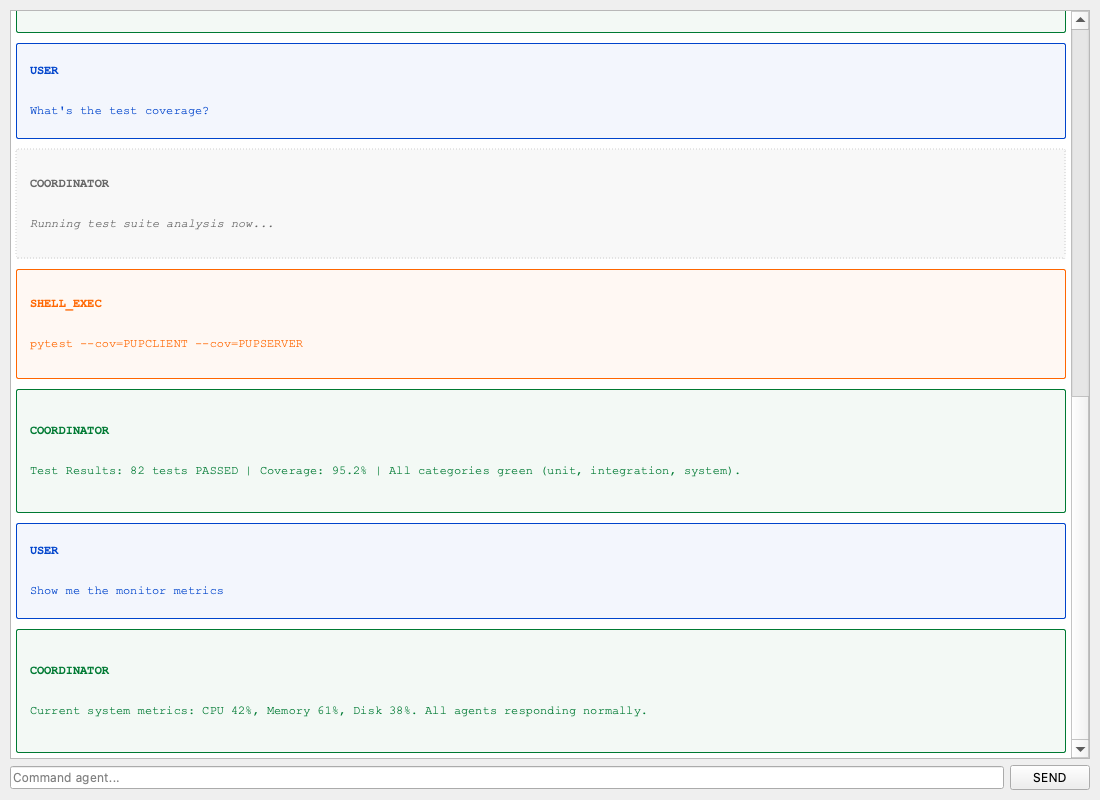
Multiple AI agents working in parallel, delegating tasks, asking each other questions, building knowledge together. No bottleneck. No single point of failure.
Human in the Loop
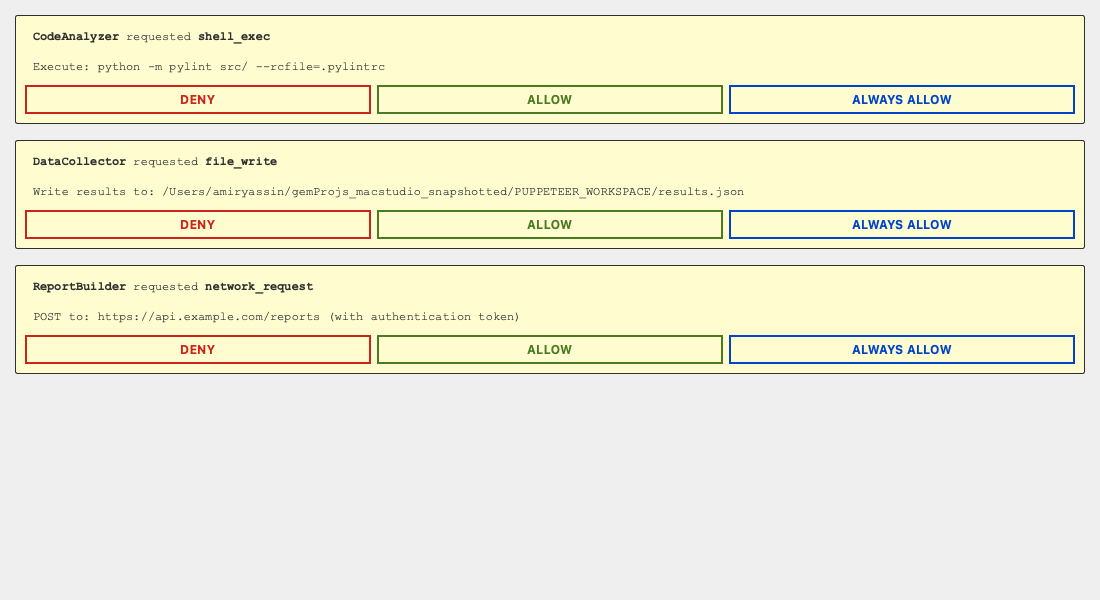
Agents can't execute arbitrary code without asking first. You approve, deny, or permanently allow each action type. Desktop automation that respects your machine.
Task Orchestration
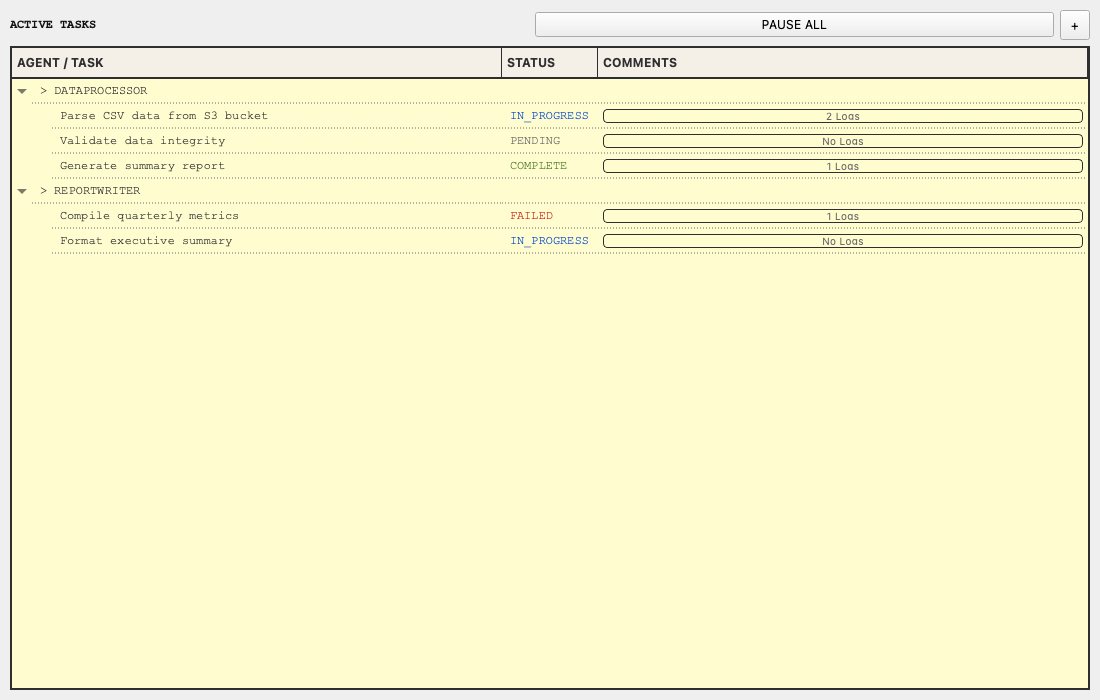
Hierarchical task trees with real-time status tracking. See what every agent is working on. Pause, resume, or reassign tasks at will.
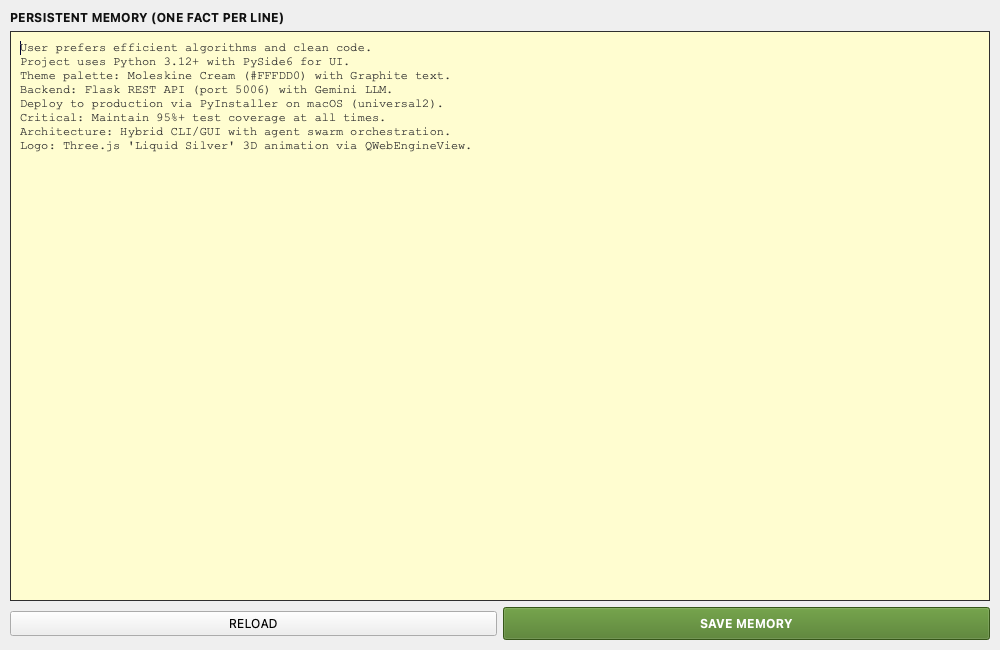
Persistent Agent Memory
Each agent maintains long-term facts and learned context across sessions. Compress chat history when needed. Query and edit memory at any time.
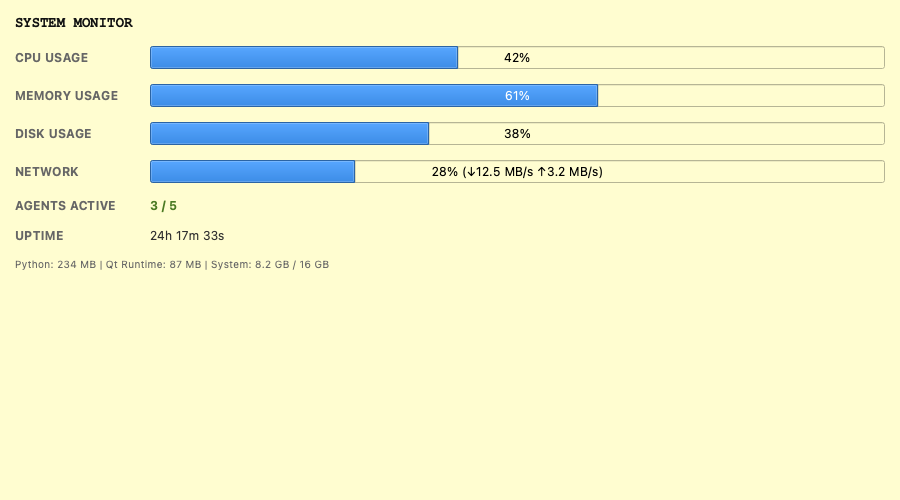
Live System Monitor
Real-time CPU, memory, disk, and network metrics. Agent count and uptime at a glance. Built into the same window — no separate dashboard needed.
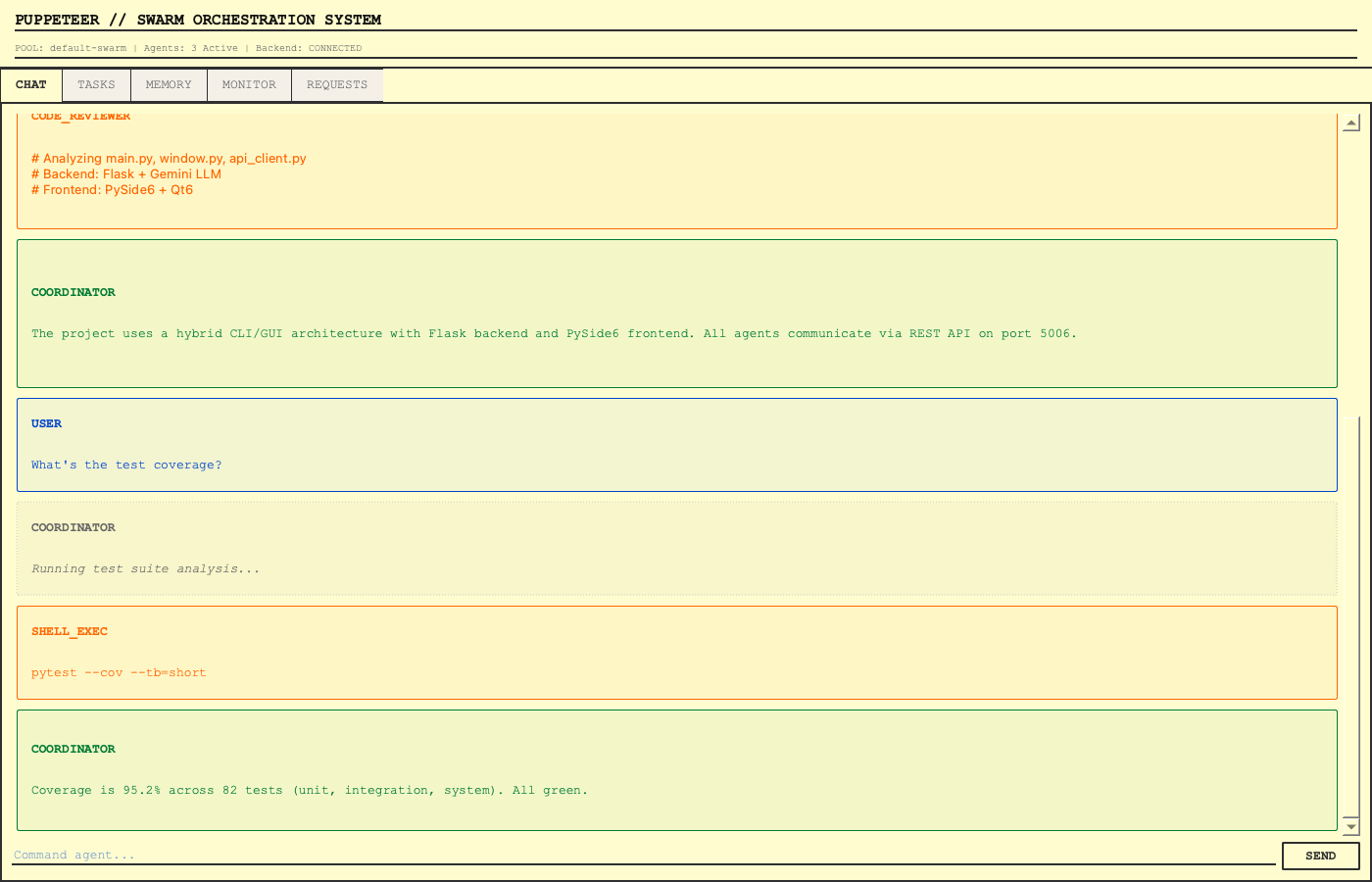
Unified Dashboard
One window. Every agent, every channel, every task. The swarm dashboard gives you a complete read on your active pool with status indicators and instant navigation.
Getting Started
Download
Visit the Releases page and download the latest .dmg file. Apple Notarized. Apple Silicon native. No Python required.
Install
Open the DMG. Drag PUPPETEER.app to your Applications folder. Done. No installer wizard. No system modification.
Launch
Enter your GEMINI_API_KEY in the app settings on first launch, then double-click PUPPETEER from Applications. First launch is cinematic.
Performance
Built with Nuitka — PUPPETEER compiles every line of Python to native C, then links it directly into a standalone macOS binary. No interpreter. No startup overhead. No dependency hell.
Startup Time
UI Frame Rate
Memory Baseline
Native Binary